—

Settings: your server, your prices, your calculator assumptions

Server and region, meso and cube prices, scrolling and Star Force options, events, damage assumptions, HEXA costs, and resets.

Covers Settings

Finding a setting

Settings opens with a "Find a setting…" search over sections: Character & saving, Appearance, Meso & prices, Cubes & familiars, Flames & scrolls, Star Force, Events, Damage assumptions, HEXA, Gear & hammers (Interactive only), and Reset. Type what you are looking for and the matching section comes up.
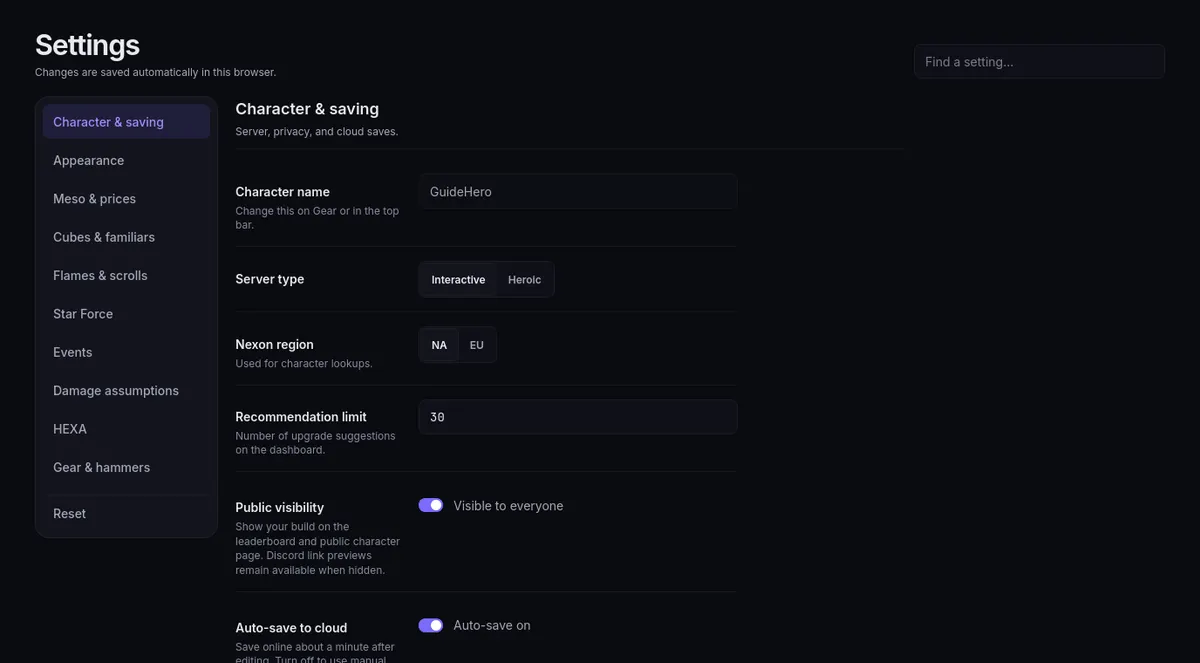
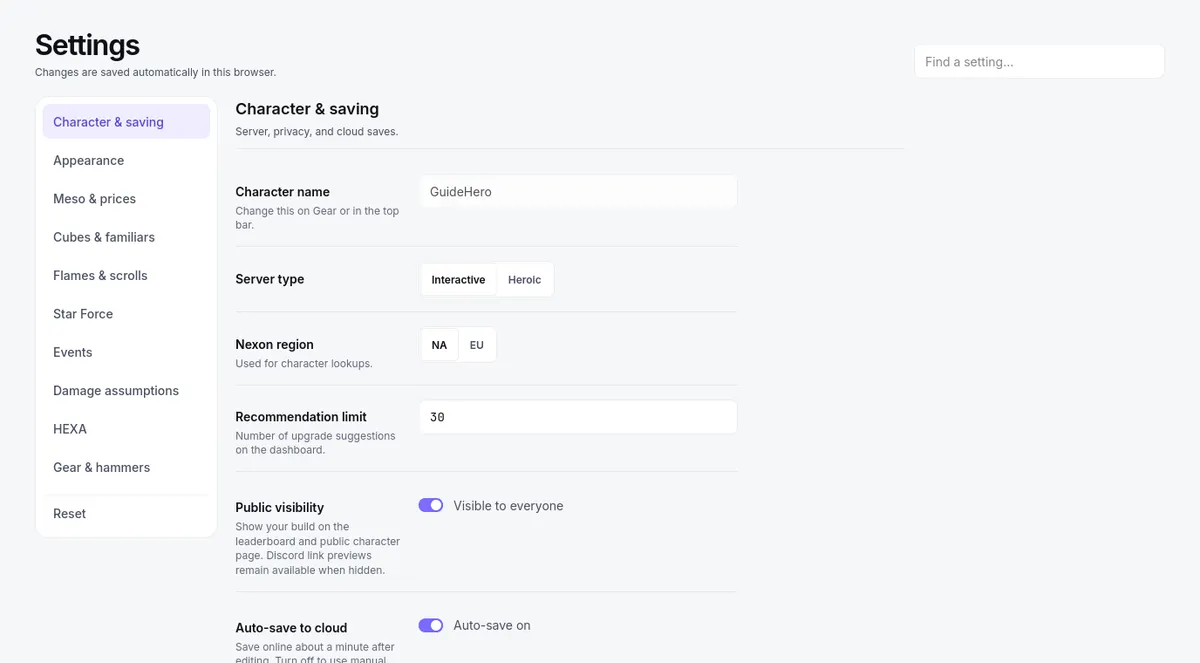
Settings: the sections down the left, the Find a setting box at the top right, and Character & saving openSettings: the sections down the left, the Find a setting box at the top right, and Character & saving open

Changes save automatically in your browser as you make them; there is no save button and you can return to these browser settings later. Prices, events, and damage assumptions are useful first checks when a recommendation surprises you.

Server type and meso prices

In Character & saving, set your Server type (Interactive or Heroic) and Nexon region (NA or EU). These shape which pricing model the calculators use and which region your lookups target — set them before comparing any costs. Recommendation limit sets how many upgrade suggestions the Dashboard lists.

Prices are yours to configure: enter the figures you would actually pay or sell at, using K, M, or B (500M = 500 million meso). Nothing follows a live market — prices are only as current as the values you type, so refresh them when the market moves or rankings drift with it. Under Meso & prices, Interactive uses your Meso market rate (meso per NX) and the two Grindstone prices, and Heroic uses Glowing Cube (meso) and Bright Cube (meso).

Cube prices and cost summaries

Cubes & familiars holds your cube prices and services, alongside how costs are summarized (on Heroic it shows only the summary, since cube prices are under Meso & prices):

  • The Cube cost options — Average (expected), Median (P50), Unlucky (P75), Very unlucky (P85) — summarize the cost distribution across possible outcomes. Pick the one matching your risk tolerance; they are not a dial that tunes a single run.
  • Under Advanced cube estimates, Bonus Potential cost estimates default to Default estimates, or switch to My recorded averages and enter an average per target you want priced — zero leaves a target unpriced.
  • The Red Familiar Card price is shown read-only and converts at your meso market rate.

Check the selected summary and prices when comparing results. One unlucky session does not establish that the expected cost or probability model is wrong.

Flames, scrolls, Star Force, and events

Flames & scrolls holds the Flame scoring control (Default, Build-aware, or Custom) and, on Interactive, the prices behind scroll recommendations — Spell Trace, Pure Clean Slate, Innocence, Gollux Scroll, ICOG and its return option, and premium scrolls. Set what the scroll and flame options actually cost you.

Star Force has one safeguard strategy menu: Site default (Cheapest per star on Interactive, Balanced (SG 1144) on Heroic), Balanced (SG 1144), Always protect (SG 4444), Cheapest per star, or No protection (no SG 1111). It is the plan every item uses unless that item has its own — see Star Force protection plans.

Events holds named toggles for discounts and bonuses. Shining Star Force follows the schedule keeps the 30% discount and fewer booms on only while the event runs; switching either Shining toggle yourself takes manual control, the same as On and Off on the Dashboard's Shining Star Force bar. Switch on only the events currently active in your world, and off when they end — a stale toggle quietly misprices every affected recommendation.

Damage assumptions

The Damage assumptions section sets Boss PDR (300% or 380%), which changes how much your IED is valued — and how upgrades adding IED rank against everything else. It also holds Cooldown reduction (Hat), the Final Damage per second of cooldown reduction used to value a hat's cooldown lines.

  1. Set PDR to the boss you are actually gearing for.
  2. When comparing two builds or two screenshots, keep the PDR matched on both sides, or the comparison is not saying what you think it is.
  3. If a ranking flips when you adjust this, that is the setting doing its job: the plan was priced for a different fight.

Pair this with the buff toggles in Reading the boss page.

HEXA prices, hammers, and reset

The HEXA section holds your Sol Erda Fragment price, the Hexa Sunday toggle for HEXA Stat reroll estimates, and a Weekly farming budget card with Open HEXA priorities → to the budget used by the Priority tab.

Gear & hammers (Interactive only) holds Exceptional Hammer costs and Gear acquisition costs, so acquisition recommendations price from your figures. The Dashboard's Gear acquisition view also lets you edit an item's price in place.

Reset sits last and apart. Reset settings… restores calculator prices, preferences, and events to defaults, and Reset gear… clears gear, stats, character name, class, and spares from the active loadout; each asks you to Confirm reset. Resetting does not delete saved online builds. Export your data first (see Recovery). A reset is a last resort for real data trouble — not the first move for a confusing number, which usually traces to a price or assumption above.