—

Liberation & Astra Timelines

Turn your weekly boss clears into dated Liberation gate targets, and plan Astra awakenings and secondary transfers by resource.

Covers Liberation Calculator, Astra Secondary Calculator

Liberation timeline

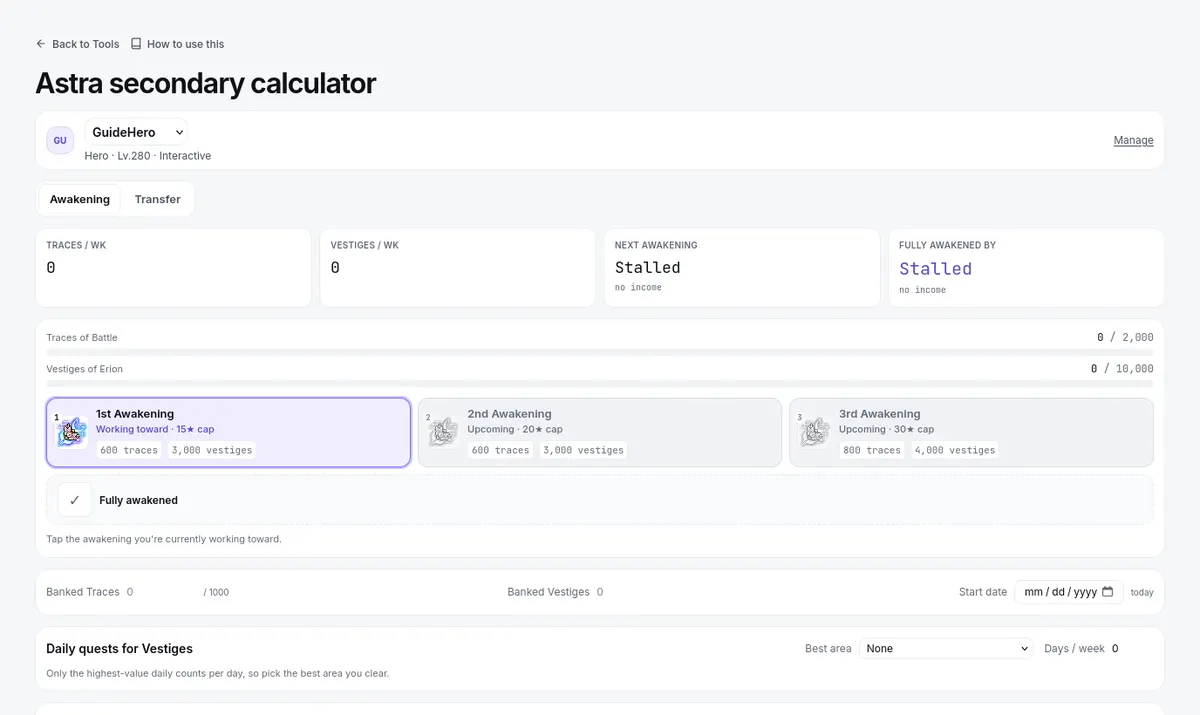
The Liberation Calculator turns your weekly income into dated targets, on three tabs: Genesis, Destiny 1, and Destiny 2.
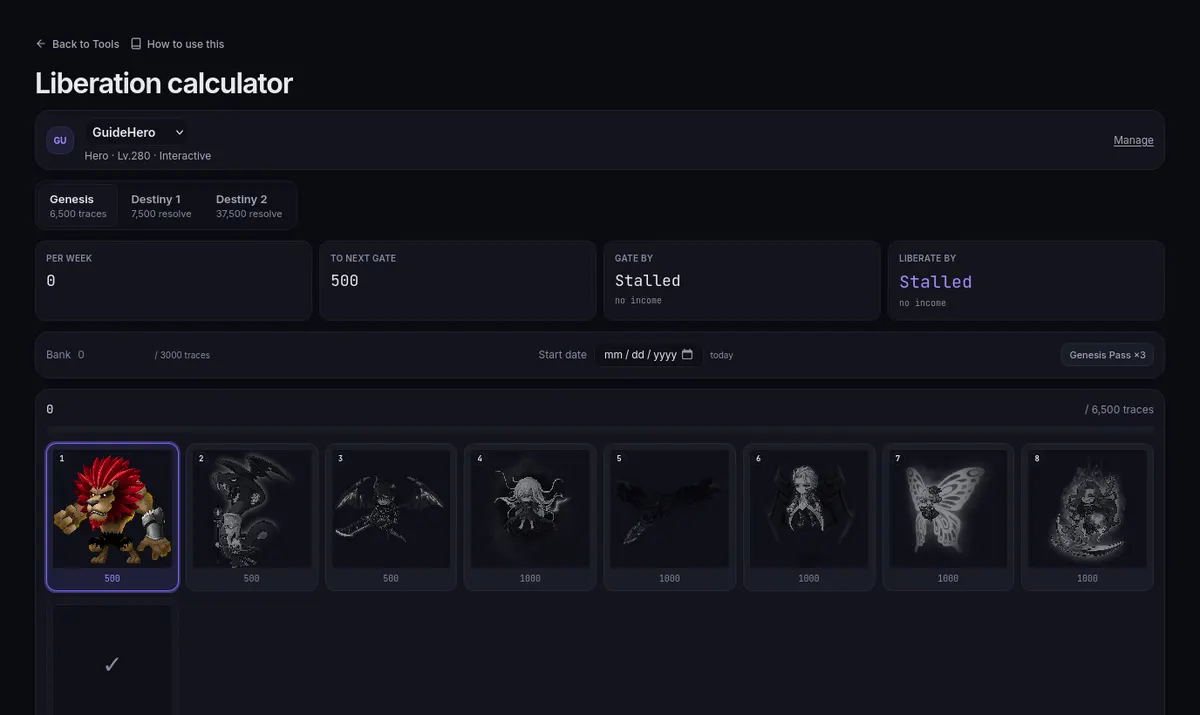
The Liberation calculator: the Genesis and Destiny tabs, traces per week, the next gate, and a tile per bossThe Liberation calculator: the Genesis and Destiny tabs, traces per week, the next gate, and a tile per boss

  1. On Genesis, set your current step on the ladder and the Bank of traces you hold. An optional Start date counts the dates from a day other than today, and Genesis Pass ×3 applies the pass if you have one.
  2. Set the bosses you actually clear each week, with difficulty and party size — yields differ by difficulty, and party size changes your share. ↻ from income copies them from your Income page.
  3. Read the timeline: Per week, To next gate, and the dates marked Gate by and Liberate by. The Destiny tabs read the same way, with Stage by and Part 1 by or Part 2 by.

Treat it as a resource calendar, not a quest log.
Astra: Awakening tab

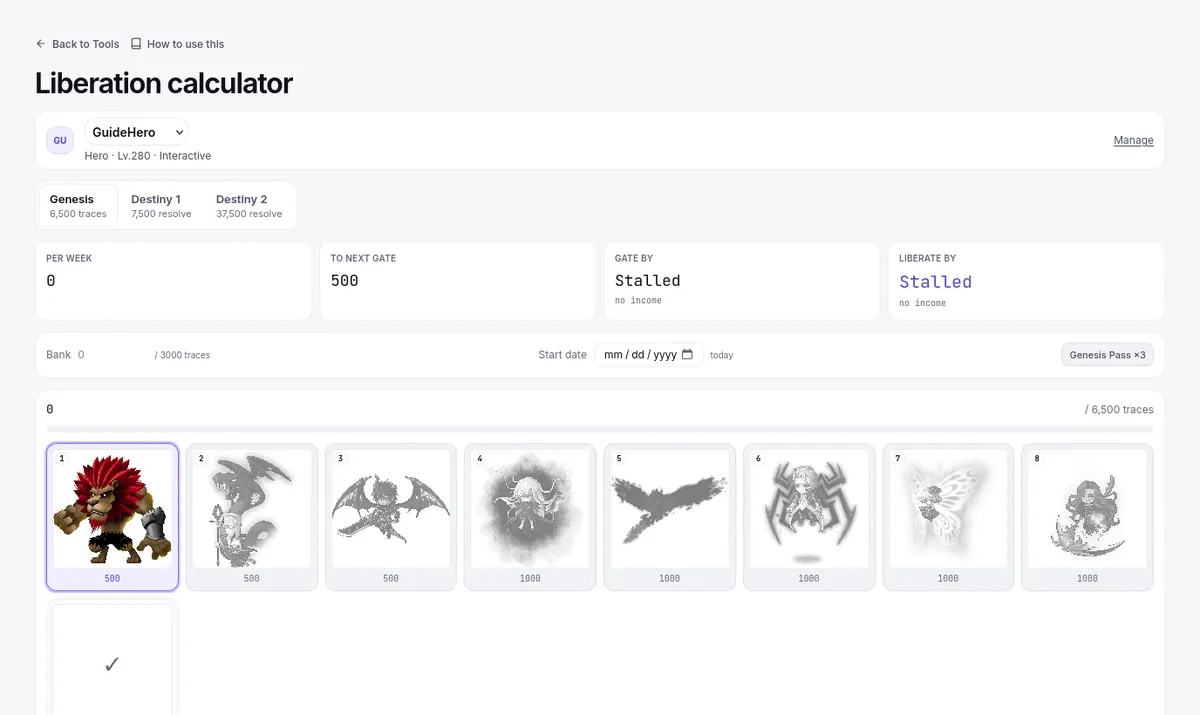
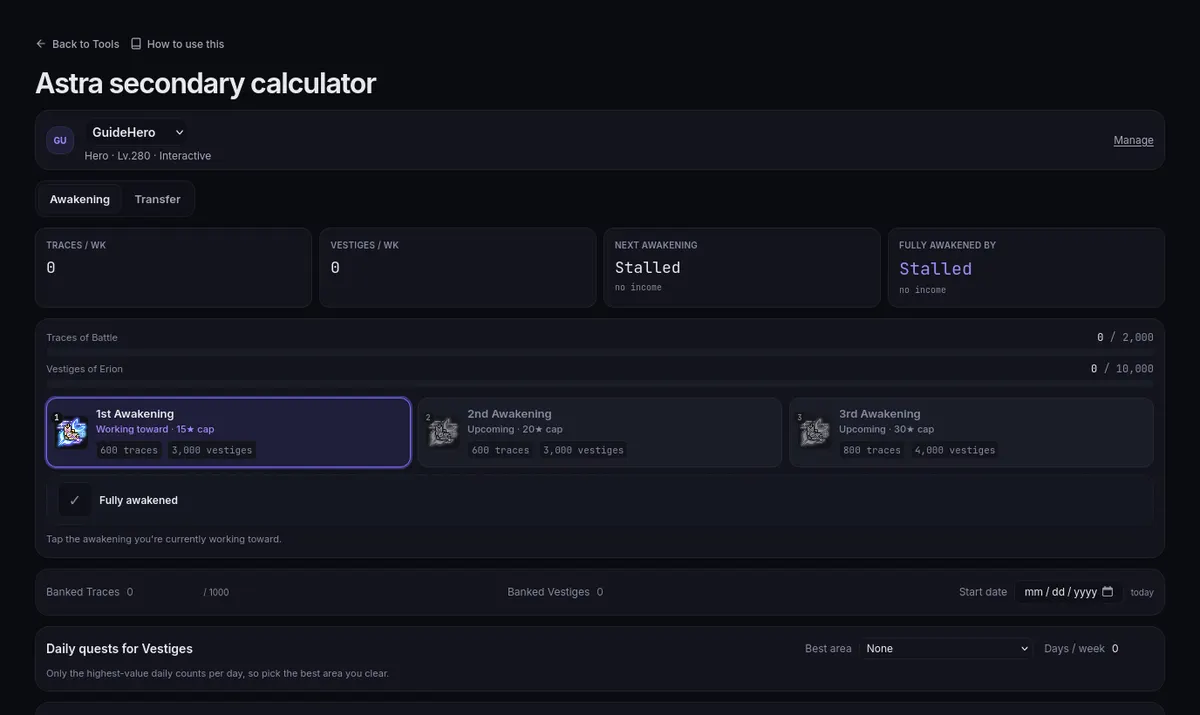
The Astra Secondary Calculator tracks the two awakening resources side by side on its Awakening tab.

The Astra secondary calculator: the Awakening and Transfer tabs, traces and vestiges, and the three awakeningsThe Astra secondary calculator: the Awakening and Transfer tabs, traces and vestiges, and the three awakenings

  1. Pick your current awakening stage, enter Banked Traces and Banked Vestiges, and set a Start date if you are mid-process.
  2. Under Bosses for Traces & Vestiges, enable the bosses you clear and set difficulty and party size; the yields are split across your party.
  3. Under Daily quests for Vestiges, choose your Best area and how many Days / week you run it. Only the highest-value daily counts each day, so one best daily drives the plan.
  4. Read Traces / wk, Vestiges / wk, Next awakening, and Fully awakened by. When one resource has no income, the page names that bottleneck instead of showing a date — fix the inputs rather than expecting a zero-time answer.

Transfer tab: the replacement mesos

The Transfer tab prices moving to your class's Astra secondary. Pick the Astra item, set Current ★ and Target ★, and enter the Main stat and ATT of the secondary you are replacing. The result shows the Transfer fee, the Re-star cost, the Total meso, and whether Star Force is kept or reset to 0.

Read the scope note on the Net Final Damage (base stats) result: it covers the secondary swap's base stats, not a complete gear change — Star Force, scroll stats, and IED are excluded. For a whole-build question, use Compare items. Enter the stages and rates that apply now; future ones are not part of the inputs.

Match your boss entries week to week

Both tools plan from the boss list you enter, difficulty and party size included. Enter the bosses you actually run each week rather than copying an old list, and set each character up on its own: a Liberation timeline for one and an Astra plan for another describe different schedules.

Common mistakes

  1. Counting several dailies as if each paid Vestiges — only your single best daily per day counts.
  2. Leaving a pass flag on after it expires, or boss entries in after a clear changed in game — the dates recompute from what you entered, so stale entries give stale gates.
  3. Treating the Transfer tab's net result as a full build comparison, which its scope note already rules out.